Description
This app works with the Ventipix Asset & Inventory Manager web app.
The web app enables you to track assets and inventory online. It uses this app for scanning 1D barcodes, 2D barcodes (such as QR Codes, and Datamatrix ), NFC tags and GS1 compliant barcodes (such as Digital Links or element strings).
The data captured when a barcode is scanned or NFC tag is tapped is sent back to the cloud, along with additional custom data relating to the asset, inventory or delivery.
All captured data can be seen from the dashboard of the web app. The web app allows you to view, update, and delete records. It also enables you to grant access to specific features and then shows the logs of who performed what action.
Asset Management Features
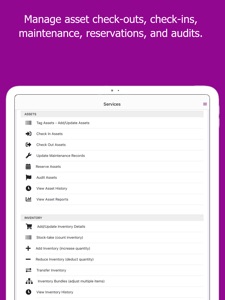
- Asset Tagging - enables you to update or add assets to the system
- Check out - enables you to record who has borrowed or is in possession of an asset
- Check-in - enables you to record when an asset has been returned
- Maintenance - enables you to keep an asset's maintenance history up to date
- Reservation - enables you to hold off an item from being checked out within a certain time frame
- Auditing - enables you to record the audit status of your assets
Inventory Management Features
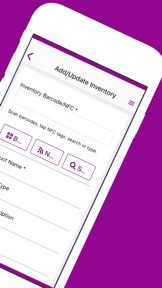
- Inventory Tracking - enables you to update or add inventory to the system
- Stock-take - enables you to count stock by scanning barcodes
- Add/Reduce Stock - enables you to make inventory quantity adjustments
- Transfer Stock - enables you to record stock movements
Delivery Management Features
- Goods Received - enables you to track the conditions and status of goods received
- Goods Dispatched - enables you to update the status of delivered products
Cost Tracking Features
- With the cost tracking feature, you can track the costs associated with the acquisition, maintenance, and disposal of products or services. The feature also supports the attachment of documents such as receipts, invoices, etc.
GS1 Digital Link Features
- With the GS1 Digital Links feature, you can manage many destination URLs for various link types, make changes to the URLs at any time, generate digital links, generate or print barcodes, scan Digital Link or Scan4Transport QR codes & Datamatrix barcodes, and extract application identifiers such as GTIN, SSCC, etc.
Work In Progress (WIP) Features
- With the WIP feature, you can track and update the status of a product as it progresses from one phase to another.
URL Redirections Features
- GS1 Digital Links: generate custom-styled Digital Link QR codes and update destination URLs for all link types
- Marketing QR codes: generate custom-styled QR codes and update destination URLs for QR code campaigns
- Marketing NFCs: program NFC tags and update destination URLs for NFC campaigns
- Privacy Consent: capture analytics data, from QR code and NFC tag scans, in a privacy-compliant way
- Defect reports: capture asset maintenance issues using asset URLs on QR Codes or NFC tags
Integration Features
The app integrates with:
QuickBooks Online - for syncing inventory data, inventory adjustments, and purchase order status.
Google Sheets and Excel Online - for syncing asset or inventory data, or history logs
Zapier and Microsoft Power Automate - for creating automated workflows
Shopify and Square - for syncing inventory data, and inventory adjustments.
Notifications Features
- Email notifications support for expiry dates, due or overdue assets, low stock, new records, changed records, etc.
- Push notifications and webhooks alerts based on custom conditions
- Microsoft Teams and Google Chat manual or automated notifications
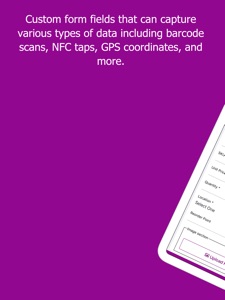
Other useful features supported include document uploads, photo uploads, customizable form fields, GPS capture, GS1 identifiers extraction, offline mode, etc.
This application can be used in schools, universities, businesses, charities, events, warehouses, haulage, labs, offices, health care, construction, libraries, rental services, equipment hire, tools rental, etc.