AboutTermsPrivacyContact
 
Updating
TP-Link Deco

TP-Link Deco

Released: 2017-04-12
Copyright © 2013-2019 TP-LINK Technologies Co., Ltd. All rights reserved
TP-Link Deco - QR Code
Version 2.2.2
4+
Download on the App Store
Version 2.2.2
4+
Download on the App Store
Released: 2017-04-12
Copyright © 2013-2019 TP-LINK Technologies Co., Ltd. All rights reserved

iPhone Screenshots

Screenshot
Screenshot
Screenshot
Screenshot
Screenshot

iPad Screenshots

Screenshot
Screenshot
Screenshot
Screenshot
Screenshot

Description

The Deco app allows you to quickly and easily install and manage your Deco Whole Home Mesh Wi-Fi System. Now, you can monitor your home Wi-Fi from anywhere, and make changes right from your smartphone or tablet.
A set of three Deco units covers most homes (up to 5,500 square feet). The units work together to create fast, reliable and seamless Wi-Fi. At last, you can stream, game and browse in any room—even your basement or attic!
Deco features:
- Easy setup
- Antivirus and security
- Parental controls
- Monthly reporting
- QoS (activity and device)
- Guest network
- Remote network management
- Automatic updates
To set up your Deco network, simply plug one of your Deco units into your modem and follow the instructions in the Deco app. The app also helps you find the best spots in your home to place additional Deco units.
Once your Deco network is up and running, you can enjoy faster, stronger Wi-Fi connections that won’t drop out, even when you’re moving from room to room.
Plus, you can manage your entire Deco Whole Home Mesh Wi-Fi System right from the Deco app, including:
- Sharing your guest network with visitors
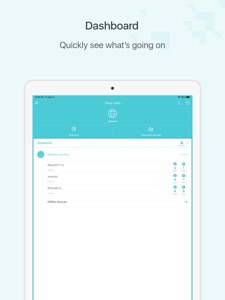
- Viewing which devices are connected to your Wi-Fi
- Running network performance tests
- Restricting access to websites of your choosing
- Setting a time restriction and pause the Wi-Fi on kids’ devices
- Controlling when certain devices have Wi-Fi access
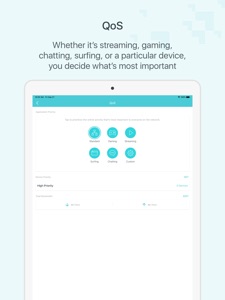
- Picking which activities and devices get Wi-Fi priority
- Adding a family member as a network manager to help you monitor your network
Supported Languages:
English
Deutsch
Português (Portugal)
Português (Brasil)
Dansk
Svenska
Español
Español (Latinoamérica)
Suomi
Italiano
Français
Norsk
Nederlands
日本語
한국어
繁體中文
Русский язык

What's New in Version 2.2.2

Fixed some bugs and improved the stability.

Seller

Name

TP-Link Technologies Co., Ltd.

URL

Information

Developer

Categories

Version

2.2.2

Size

278.5 MB

Game Center

No

VPP Device Licensing

Yes

Rating

Rated: 4+

Compatibility

iOS 9.0 or later

Devices

iPhone 4S, iPhone 5, iPhone 5c, iPhone 5s, iPhone 6, iPhone 6 Plus, iPhone 6s, iPhone 6s Plus, iPhone SE, iPhone 7, iPhone 7 Plus, iPhone 8, iPhone 8 Plus, iPhone X, iPhone XR, iPhone XS, iPhone XS Max, iPhone 11, iPhone 11 Pro, iPhone 11 Pro Max, iPhone SE (2nd generation), iPad 2 (Wi-Fi), iPad 2 (3G), iPad (3rd Generation) (Wi-Fi), iPad (3rd Generation) (4G), iPad (4th Generation) (Wi-Fi), iPad (4th Generation) (4G), iPad (5th Generation) Wi-Fi, iPad (5th Generation) Wi-Fi + Cellular, iPad (6th generation) Wi-Fi, iPad (6th generation) Wi-Fi + Cellular, iPad Pro, iPad Pro (Cellular), iPad Pro (9.7-inch), iPad Pro (9.7-inch) (Cellular), iPad Pro 12.9-inch (2nd generation), iPad Pro 12.9-inch (2nd generation) Wi-Fi + Cellular, iPad Pro (10.5-inch), iPad Pro (10.5-inch) Wi-Fi + Cellular, iPad Pro (11-inch), iPad Pro (11-inch) Wi-Fi + Cellular, iPad Pro 12.9-inch (3rd generation), iPad Pro 12.9-inch (3rd generation) Wi-Fi + Cellular, iPad Air, iPad Air (Cellular), iPad Air 2, iPad Air 2 (Cellular), iPad Air (3rd generation), iPad Air (3rd generation) Wi-Fi + Cellular, iPad mini (Wi-Fi), iPad mini (4G), iPad mini Retina, iPad mini Retina (Cellular), iPad mini 3, iPad mini 3 (Cellular), iPad mini 4, iPad mini 4 (Cellular), iPad mini (5th Generation), iPad mini (5th Generation) Wi-Fi + Cellular, iPad (7th generation) Wi-Fi + Cellular, iPad Pro 11-inch (2nd generation), iPad Pro 11-inch (2nd generation) Wi-Fi + Cellular, iPad Pro 12.9-inch (4th generation), iPad Pro 12.9-inch (4th generation) Wi-Fi + Cellular, iPod touch (5th generation), iPod touch (6th Generation), iPod touch (7th generation)

Languages

English, Bulgarian, Chinese, Czech, Danish, Dutch, Finnish, French, German, Greek, Hebrew, Hungarian, Italian, Japanese, Korean, Malay, Norwegian Bokmål, Polish, Portuguese, Romanian, Russian, Slovak, Spanish, Swedish, Thai, Turkish, Ukrainian, Vietnamese

App Store: Customer Ratings

Ratings & Reviews

4.5 of 5 (71 Ratings)

App Store: Customer Reviews

2020-08-30

Thank you!!!

Deco is a massive, huge step forward, thank you so much. Plug and play support PLUS robust WiFi for cable internet supply. No longer do I have to rely on the ISP to help me with my old crappy WiFi. That was always frustrating as they could not get it to work but did charge me lots of money to “try” and get it sorted. I had stronger and more stable WiFi signals from other apartments in my building!!!
At one point during the deco installation process it asked me to enter my ISP connection details. Thankfully it seemed to work those out for itself because I didn’t have a clue.
Cape Town Kubu
Version 2.1.2
2020-08-22

Must be tplink employees leaving all these good reviews.

Worst mistake i made in a long time. Spent premium money on decos, and its just not working. Ive configured my home wifi twice before, and it worked great both times. When my latest, 4 year old router died, i thought this would be the answer. Dont believe a word about how easy and fantastic the app and the tplink decos are. Ive dug out a old router, and back online before i could even erase this useless app. Anyone in the market for two decos, cheap!
condwt
Version 2.1.2
2020-06-11

Awesome

The app and the hardware work together well worth the 5 stars
gideon1204
Version 1.10.9
2020-05-29

the way wifi was suppose to be

easy setup. easy connection. and the best admin functions of any. this is brilliant and i can recommend this app and devices to anyone
Paul_SA_home
Version 1.10.9
2020-05-27

Simple & effective

The app made setting up the deco’s a breeze. The user interface is clean, user-friendly and comprehensive. Hardware makes a significant improvement to WiFi speed and coverage. Visibility of connected devices and traffic is very handy from phone.
DaHammer1308
Version 1.10.9
2020-04-24

Great performance

Deco has solved my problems of extenders which drop connectivity.
The routers are working seamlessly
Njosisyatata
Version 1.10.7
2020-01-15

Great app!

Hi guys just wanted to say job well done!
I would love it if you guys can include an indication whether the decos are connected to each other over wifi or if they are using the ethernet backhaul, and that can maybe even shown on a network map that shows all the devices on the network?
That would make it even easier for people to manage and have a overview of what’s connected in addition to the current list :)
MrYesNo
Version 1.9.25
2019-11-27

Great App

Great APP!! Well done
Zee739
Version 1.9.17
2019-09-13

Great app and experience

I’ve never setup a wireless network before through an app. Really great experience, simple to use, and provides detailed visibility into device connections, etc. Great work!
Gporra
Version 1.9.6