AboutTermsPrivacyContact
 
Updating
ShootingPlus V3

ShootingPlus V3

Released: 2018-12-21
© 深圳市七熊科技有限公司
ShootingPlus V3 - QR Code
Version 3.1.249
4+
Download on the App Store
Version 3.1.249
4+
Download on the App Store
Released: 2018-12-21
© 深圳市七熊科技有限公司

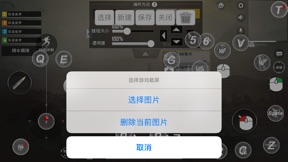
iPhone Screenshots

Screenshot
Screenshot
Screenshot
Screenshot
Screenshot
Screenshot

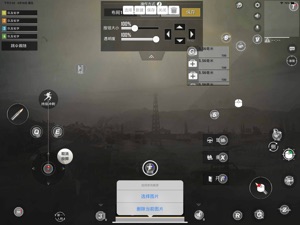
iPad Screenshots

Screenshot
Screenshot
Screenshot
Screenshot
Screenshot
Screenshot

Description

ShootingPlus V3 gamepad, Keyboard & Mouse converter Bluetooth tool.
Make sure the Bluetooth device is in iOS mode before connecting Bluetooth.
Note: Please make sure the iOS system version is between iOS 11.0 and iOS 13.3.1. As the iOS 13.4 and above systems do not support Bluetooth touch screen, please do not upgrade the iOS 13.4 and above systems, and turn off the automatic update of the system.
Bluetooth connection method:
 Keyboard & Mouse converter: Generally, first you should cancel paired the Bluetooth, then disconnect the power, then connect the power, and then press the left Ctrl + 2 (the 2 on the W button) to switch to the iOS mode, then connect to Bluetooth, and then open the App.
Gamepad: For Most of Gamepads, first you should cancel paired the Bluetooth. Then turn off the Gamepad, then long press and hold the Y + Home button to turn on the Gamepad to switch to iOS mode, connect to Bluetooth, and then open the App. (Specific Gamepad may have other switching methods)
If you have any questions, please contact us at: shootingplus@shootingplus.com.cn

What's New in Version 3.1.249

1. Fixed bugs.

Seller

Name

Shenzhen Qixiong Technology Co., Ltd.

Information

Categories

Version

3.1.249

Size

50.5 MB

Game Center

No

VPP Device Licensing

Yes

Rating

Rated: 4+

Compatibility

iOS 11.0 or later

Devices

iPhone 5s, iPhone 6, iPhone 6 Plus, iPhone 6s, iPhone 6s Plus, iPhone SE, iPhone 7, iPhone 7 Plus, iPhone 8, iPhone 8 Plus, iPhone X, iPhone XR, iPhone XS, iPhone XS Max, iPhone 11, iPhone 11 Pro, iPhone 11 Pro Max, iPhone SE (2nd generation), iPad (5th Generation) Wi-Fi, iPad (5th Generation) Wi-Fi + Cellular, iPad (6th generation) Wi-Fi, iPad (6th generation) Wi-Fi + Cellular, iPad Pro, iPad Pro (Cellular), iPad Pro (9.7-inch), iPad Pro (9.7-inch) (Cellular), iPad Pro 12.9-inch (2nd generation), iPad Pro 12.9-inch (2nd generation) Wi-Fi + Cellular, iPad Pro (10.5-inch), iPad Pro (10.5-inch) Wi-Fi + Cellular, iPad Pro (11-inch), iPad Pro (11-inch) Wi-Fi + Cellular, iPad Pro 12.9-inch (3rd generation), iPad Pro 12.9-inch (3rd generation) Wi-Fi + Cellular, iPad Air, iPad Air (Cellular), iPad Air 2, iPad Air 2 (Cellular), iPad Air (3rd generation), iPad Air (3rd generation) Wi-Fi + Cellular, iPad mini Retina, iPad mini Retina (Cellular), iPad mini 3, iPad mini 3 (Cellular), iPad mini 4, iPad mini 4 (Cellular), iPad mini (5th Generation), iPad mini (5th Generation) Wi-Fi + Cellular, iPad (7th generation) Wi-Fi, iPad Pro 11-inch (2nd generation), iPad Pro 11-inch (2nd generation) Wi-Fi + Cellular, iPad Pro 12.9-inch (4th generation), iPad Pro 12.9-inch (4th generation) Wi-Fi + Cellular, iPad Air4, iPad Air4Cellular, iPad EighthGen, iPad EighthGenCellular, iPod touch (6th Generation), iPod touch (7th generation)

Languages

English, Arabic, Chinese, French, German, Hausa, Hungarian, Japanese, Korean, Malay, Polish, Portuguese, Russian, Spanish, Thai

App Store: Customer Ratings

Ratings & Reviews

1.5 of 5 (9 Ratings)

App Store: Customer Reviews

2020-08-05

Apple support assistance needed

Will Apple ever look into the support issue for this software? I thought that Apple was always such a great product, but if this is such a difficult task then you guys are pathetic
Pyrosp3ctr3
Version 3.1.239
2020-07-14

Does not work with iOS 13.4

Controller is useless as it is not compatible with recent versions of iOS. May as well have bought a brick to control the phone!
AndrewDurban
Version 3.1.236
2020-06-27

Confused

My Ipega 9157 does not work at all with my iPhone X. So disappointed with IOS
bababoushka
Version 3.1.226
2020-06-04

Very useful

The app works great with my ipega controller. Very user friendly. But needs a version upgrade so that i can upgrade my iOS system. Otherwise my controller will be rendered useless.
Stephan Grobler
Version 3.1.226
2019-11-21

No PS4 controller

I have seen many other people use the app and it looks great, it is lightweight and comes with already key mapped games. My only problem is that the app doesn’t read my DualShock controller. Please help me.
Bobsmom123
Version 3.1.188