Updating

JBL Compact Connect
Released: 2019-10-26
© Copyright 2019, Harman International


iPhone Screenshots
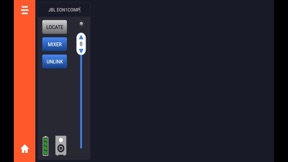

iPad Screenshots


Description
The JBL Compact Connect is an easy-to-use application for tablets and mobile devices that is designed to offer complete control of up to four JBL EON ONE Compact PA speakers at a time. Featuring Bluetooth audio control, the application gives you free reign over all of the EON ONE Compact’s setting and capabilities. From controlling the speaker’s four-channel digital mixer, to adjusting effects, saving and recalling presets and much more, JBL Compact Connect allows you to easily tailor your speaker to fit your application. Plus, JBL Compact Connect directly links to the speaker’s hardware, so any change you make from the application will reflect on your EON ONE Compact’s LED indicators, including volume levels. In addition to dialing in the perfect sound, the JBL Compact Connect application allows you to update each speaker’s firmware.
Key Features:
• Easy-to-use mixer interface for complete mixer control and added mixing capabilities
• Digital channel faders for adjusting volume levels simply and quickly
• Adjustable Lexicon effects for enhancing your audio
• Adjustable 8-band EQ for master output and each channel to fine tune your sound
• Synchronize and stream music to up to four EON ONE Compact units with full control over each speaker
• Software control changes are intelligently reflected on speaker’s hardware
• Customizable ducking functionality lowers background music levels when speech is detected
• Easily save your ideal sound settings and recall them at anytime
• Update firmware for all connected EON ONE Compact units
What's New in Version 1.0.3
Fix for firmware update failure issue.
Seller
Name
Harman Professional, Inc.
Information
Developer
Categories
Version
1.0.3
Size
38.7 MB
Game Center
No
VPP Device Licensing
Yes
Rating
Rated: 4+
Compatibility
iOS 11.0 or later
Devices
iPhone 5s, iPhone 6, iPhone 6 Plus, iPhone 6s, iPhone 6s Plus, iPhone SE, iPhone 7, iPhone 7 Plus, iPhone 8, iPhone 8 Plus, iPhone X, iPhone XR, iPhone XS, iPhone XS Max, iPhone 11, iPhone 11 Pro, iPhone 11 Pro Max, iPhone SE (2nd generation), iPad (5th Generation) Wi-Fi, iPad (5th Generation) Wi-Fi + Cellular, iPad (6th generation) Wi-Fi, iPad (6th generation) Wi-Fi + Cellular, iPad Pro, iPad Pro (Cellular), iPad Pro (9.7-inch), iPad Pro (9.7-inch) (Cellular), iPad Pro 12.9-inch (2nd generation), iPad Pro 12.9-inch (2nd generation) Wi-Fi + Cellular, iPad Pro (10.5-inch), iPad Pro (10.5-inch) Wi-Fi + Cellular, iPad Pro (11-inch), iPad Pro (11-inch) Wi-Fi + Cellular, iPad Pro 12.9-inch (3rd generation), iPad Pro 12.9-inch (3rd generation) Wi-Fi + Cellular, iPad Air, iPad Air (Cellular), iPad Air 2, iPad Air 2 (Cellular), iPad Air (3rd generation), iPad Air (3rd generation) Wi-Fi + Cellular, iPad mini Retina, iPad mini Retina (Cellular), iPad mini 3, iPad mini 3 (Cellular), iPad mini 4, iPad mini 4 (Cellular), iPad mini (5th Generation), iPad mini (5th Generation) Wi-Fi + Cellular, iPad (7th generation) Wi-Fi, iPad Pro 11-inch (2nd generation), iPad Pro 11-inch (2nd generation) Wi-Fi + Cellular, iPad Pro 12.9-inch (4th generation), iPad Pro 12.9-inch (4th generation) Wi-Fi + Cellular, iPod touch (6th Generation), iPod touch (7th generation)
Languages
App Store: Customer Ratings
Ratings & Reviews
0.0 of 5 (No rating)
App Store: Customer Reviews
No Entry