Updating


iPhone Screenshots




iPad Screenshots




Description
Solve math problems, check homework, and explore graphs with this all-in-one calculator!
Maple Calculator is a powerful and versatile math learning tool. Whether you are doing simple calculations or working on university-level math problems, Maple Calculator can do it all. It is a scientific calculator, a differentiation and integration calculator, a matrix calculator, a polynomial manipulation tool, an equation solver, a graphing tool, and so much more! This versatile app makes it incredibly easy to enter, solve, and visualize mathematical problems from algebra, precalculus, calculus, linear algebra, and differential equations, for free! You can even enter problems using your camera, so you can check your homework with a click of a button. This app is your essential companion to help you learn math, whether you are in a classroom or learning from home.
Key Features
• Just click to enter your math: Enter handwritten and typeset math problems at the click of your camera using powerful AI technology. Or, enter your expression into the calculator using the same mathematical notation your teacher uses – your problem is easy to enter because it “looks right”!
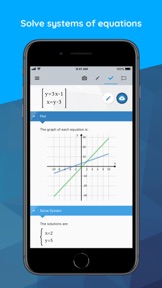
• Do all sorts of math: No matter how you enter your problem, you can find integrals, factor polynomials, invert matrices, solve systems of equations, solve ODEs, and much more. The app has the power of the world-leading Maple math engine behind it, so it can do a LOT of math!
• Graph problems and results: See graphs of your expression instantly, and watch how the graph changes as you change the expression. You can even zoom in to get a closer look.
• Get answers even when you’re offline: Some aspects of the app require an internet connection, but you can use the powerful graphing calculator anytime!
• Avoid transcription errors when using Maple desktop: Avoid the mistakes that can occur when transcribing mathematical expressions into Maple manually, by taking a photo in the app and uploading the results into Maple for further explorations and visualizations
• International language support: Available in English, Spanish, French, German, Russian, Danish, Japanese, and Simplified Chinese
Math Capabilities
The Maple Calculator uses the world-renowned Maple mathematics engine, so it can solve many kinds of problems, including:
• Basic Math: Arithmetic, fractions, decimals, integers, factors, square roots, powers
• Algebra: Solving and graphing linear equations, solving and graphing systems of equations, working with polynomials, quadratic equations and functions, logarithmic and exponential functions, trigonometric functions, trigonometric identities
• Precalculus: Graphing, piecewise functions, absolute value, inequalities, implicit functions
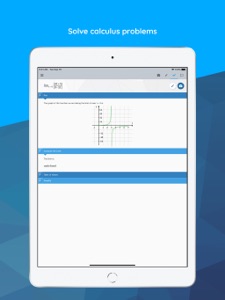
• Calculus: Derivatives, limits, definite and indefinite integrals
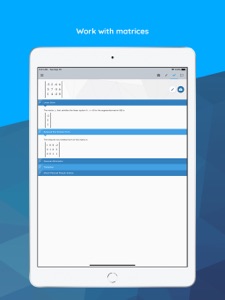
• Linear Algebra: Matrix multiplication, inverse, determinant, transpose, Gaussian elimination
• Differential Equations: Ordinary differential equations
and much more!
What's New in Version 2.5
• You can now graph implicit functions that define curves
• Better recognition of double prime notation when setting up differential equations
• More options are shown on the results screen when the expression is in the form of a function definition e.g. “f(x) = expression”
Seller
Name
Maplesoft
Information
Developer
Categories
Version
2.5
Size
65.2 MB
Game Center
No
VPP Device Licensing
Yes
Rating
Rated: 4+
Compatibility
iOS 8.0 or later
Devices
iPhone 4S, iPhone 5, iPhone 5c, iPhone 5s, iPhone 6, iPhone 6 Plus, iPhone 6s, iPhone 6s Plus, iPhone SE, iPhone 7, iPhone 7 Plus, iPhone 8, iPhone 8 Plus, iPhone X, iPhone XR, iPhone XS, iPhone XS Max, iPhone 11, iPhone 11 Pro, iPhone 11 Pro Max, iPhone SE (2nd generation), iPad 2 (Wi-Fi), iPad 2 (3G), iPad (3rd Generation) (Wi-Fi), iPad (3rd Generation) (4G), iPad (4th Generation) (Wi-Fi), iPad (4th Generation) (4G), iPad (5th Generation) Wi-Fi, iPad (5th Generation) Wi-Fi + Cellular, iPad (6th generation) Wi-Fi, iPad (6th generation) Wi-Fi + Cellular, iPad Pro, iPad Pro (Cellular), iPad Pro (9.7-inch), iPad Pro (9.7-inch) (Cellular), iPad Pro 12.9-inch (2nd generation), iPad Pro 12.9-inch (2nd generation) Wi-Fi + Cellular, iPad Pro (10.5-inch), iPad Pro (10.5-inch) Wi-Fi + Cellular, iPad Pro (11-inch), iPad Pro (11-inch) Wi-Fi + Cellular, iPad Pro 12.9-inch (3rd generation), iPad Pro 12.9-inch (3rd generation) Wi-Fi + Cellular, iPad Air, iPad Air (Cellular), iPad Air 2, iPad Air 2 (Cellular), iPad Air (3rd generation), iPad Air (3rd generation) Wi-Fi + Cellular, iPad mini (Wi-Fi), iPad mini (4G), iPad mini Retina, iPad mini Retina (Cellular), iPad mini 3, iPad mini 3 (Cellular), iPad mini 4, iPad mini 4 (Cellular), iPad mini (5th Generation), iPad mini (5th Generation) Wi-Fi + Cellular, iPad (7th generation) Wi-Fi + Cellular, iPad Pro 11-inch (2nd generation), iPad Pro 11-inch (2nd generation) Wi-Fi + Cellular, iPad Pro 12.9-inch (4th generation), iPad Pro 12.9-inch (4th generation) Wi-Fi + Cellular, iPad Air (4th Generation) (Wi-Fi), iPad Air (4th Generation) (Wi-Fi + Cellular), iPad (8th generation) Wi-Fi, iPad (8th generation) Wi-Fi + Cellular, iPod touch (5th generation), iPod touch (6th Generation), iPod touch (7th generation), Apple Watch Series 4, Apple Watch Series 5, Apple Watch Series 6 (GPS), Apple Watch Series 6 (GPS + Cellular), Apple Watch Series SE (GPS), Apple Watch Series SE (GPS + Cellular)
Languages
English, Chinese, Danish, French, German, Japanese, Russian, Spanish
App Store: Customer Ratings
Ratings & Reviews
5.0 of 5 (1 Rating)
App Store: Customer Reviews
No Entry