Updating



Re
#40 in Top Grossing iPad Apps > Utilities
iPhone Screenshots


iPad Screenshots



Description
Live Captioning for Deaf and hard of hearing in 50+ languages. Built for simplicity and ease of use. [We are not associated with Google.]
Users love it:
“Just so you know, this app has changed my 86 year old mother's life. It is simple and easy for her and her friends to use. This is so important for the elderly since so many other apps are way too complicated. She can really have one on one conversations, especially with me, which is so very important.”
- Mark M
Doctors trust it:
"I use this w my HOH senior patients when the hearing aides aren't even enough to compensate for the hearing loss. This works great. I have recommended it to my nursing/CNA staff to use as well.”
- Istariken
Simple to Use
• Tap once and continuously transcribe for as long as you’d like
• Start transcriptions on launch so you don’t miss a word
Capture Every Word
• Choose from over 50 language variations
• Offline support for 9 languages
• The speaker can use bluetooth headphones for increased accuracy even in noisy environments
Easy to Read
• Make the text as big as you’d like
• Focus on what’s being said with full screen text capture
• Add new lines automatically or manually to break up the text
• Dark mode makes the text even easier to read
Remember what was said
• Send transcripts through any message app on your phone
• Save transcripts to any note taking app on your phone
Terms of Service: https://www.mightyfine.app/live-transcribe-terms
Privacy Policy: https://www.mightyfine.app/live-transcribe-privacy-policy
What's New in Version 1.7
• NEW: Flip notched phones
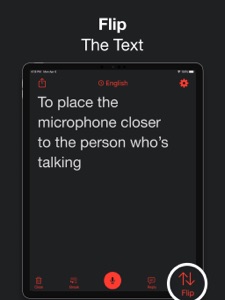
Now when you press the flip button on notched phones, the whole display will flip. That means it'll be a lot easier to place the mic closer to the speaker and communicate with them through the Type feature while transcribing.
• NEW: Mic Selection
Using Live Transcribe with a mic opens up a world of options! You can transcribe at a distance, in a noisy environment, and even with multiple people if you pass a bluetooth mic around. You can now see which mic is selected and quickly switch between devices.
Information
Developer
Categories
Version
1.7
Size
28.5 MB
Game Center
No
VPP Device Licensing
Yes
Rating
Rated: 4+
Compatibility
iOS 13.0 or later
Devices
iPhone 5s, iPhone 6, iPhone 6 Plus, iPhone 6s, iPhone 6s Plus, iPhone SE, iPhone 7, iPhone 7 Plus, iPhone 8, iPhone 8 Plus, iPhone X, iPhone XR, iPhone XS, iPhone XS Max, iPhone 11, iPhone 11 Pro, iPhone 11 Pro Max, iPhone SE (2nd generation), iPad (5th Generation) Wi-Fi, iPad (5th Generation) Wi-Fi + Cellular, iPad (6th generation) Wi-Fi, iPad (6th generation) Wi-Fi + Cellular, iPad Pro, iPad Pro (Cellular), iPad Pro (9.7-inch), iPad Pro (9.7-inch) (Cellular), iPad Pro 12.9-inch (2nd generation), iPad Pro 12.9-inch (2nd generation) Wi-Fi + Cellular, iPad Pro (10.5-inch), iPad Pro (10.5-inch) Wi-Fi + Cellular, iPad Pro (11-inch), iPad Pro (11-inch) Wi-Fi + Cellular, iPad Pro 12.9-inch (3rd generation), iPad Pro 12.9-inch (3rd generation) Wi-Fi + Cellular, iPad Air, iPad Air (Cellular), iPad Air 2, iPad Air 2 (Cellular), iPad Air (3rd generation), iPad Air (3rd generation) Wi-Fi + Cellular, iPad mini Retina, iPad mini Retina (Cellular), iPad mini 3, iPad mini 3 (Cellular), iPad mini 4, iPad mini 4 (Cellular), iPad mini (5th Generation), iPad mini (5th Generation) Wi-Fi + Cellular, iPad (7th generation) Wi-Fi, iPad Pro 11-inch (2nd generation), iPad Pro 11-inch (2nd generation) Wi-Fi + Cellular, iPad Pro 12.9-inch (4th generation), iPad Pro 12.9-inch (4th generation) Wi-Fi + Cellular, iPod touch (6th Generation), iPod touch (7th generation)
Languages
English
App Store: Customer Ratings
Ratings & Reviews
4.5 of 5 (3 Ratings)
App Store: Customer Reviews
No Entry