Updating


iPhone Screenshots




iPad Screenshots
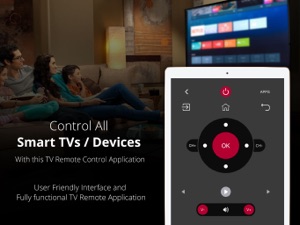
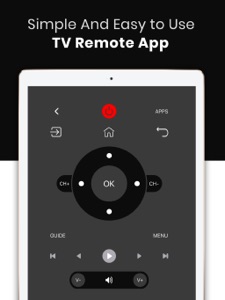


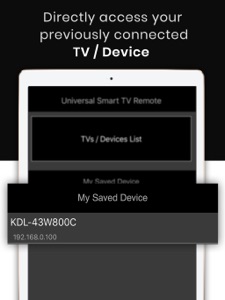


Description
For Roku,Sharp,Hisense,Samsung, LG, Sony, Android and Fire TVs.
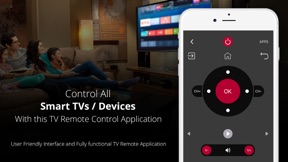
CodeMatics Inc. is pleased to announce a very powerful and efficient Smart TV remote app for smart TVs and Devices.
For using the app, kindly connect your mobile device and Smart TV to the same WiFi Network and you are ready to go.
*************************************************************
List of Smart TV brands Supported.
Samsung Smart TV(2014+)
LG Smart TV (Web OS)
Sony Bravia Smart TV (Android OS)
Fire TV and Devices
AndroidTV and Devices
Roku Smart TV (Roku OS)
*************************************************************
The following TV brands which have Roku OS are also supported.
Hisense Smart Roku TV
Sharp Smart Roku TV
RCA Smart Roku TV
Insignia Smart Roku TV
TCL Smart Roku TV
Roku TV Stick
Roku Express and Roku Express Plus.
Hence it supports all th devices and TVs operating on Roku OS which makes it the best roku remote app for Roku TVs.
***************************************************************
and many more...
*************************************************************
If your TV brand is not listed or the Smart TV remote app is not working with your television, please drop us an email with your TV brand and remote model. We will make the app work for you.
Smart TV functionalities
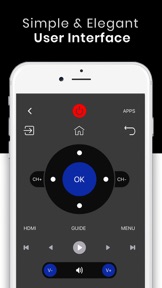
>> Power Control.
>> Mute / Volume Control.
>> Input
>> Home
>> Apps installed on your TV.
>> Channel lists / Up / Down.
>> Play / Stop / Reverse / Fast Forward.
>> Up / Down / Left / Right Navigation.
So, Get rid of the annoying regular temper problems caused by:
• Losing your remote,
• Batteries worn out,
• Smacking your little sibling for breaking the remote,
• Biting and / or boiling your batteries in water hoping it would result in magically recharging them, etc.
The Best Features
No setup required. Just connect the mobile device and Smart TV on the same WiFi network and start using it.
This smart tv remote app can be used as a roku tv remote, samsung tv remote, lg tv remote, sony tv remote, fire tv remote and android tv remote. This tv remote app is the best app on the app store that works as a remote for roku tv, remote for samsung smart tv, remote for sony tv, remote for lg tv, remote for fire tv and remote for android tv.
The app functions as a remote for roku. This roku remote app is the best remote app on the app store.
Note: For connectivity with Fire and Android TV/Devices make sure you enabled the "Developer Options and ADB Debugging" on your TV/Device.
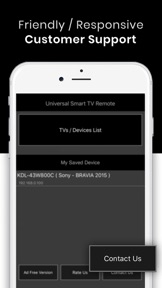
Very easy to Contact Us
CodeMatics very cordial Customer Support is here to assist you in anything you need. Our team is working continuously to include maximum TV brands and functionalities. The smart remote control app is being updated accordingly.
Disclaimer: Codematics is not an affiliated entity of Samsung, Roku, Sony. LG or any other Company, and this application is not an official product of either of it. Application is developed by Codematics keeping in view the enhanced User Experience in mind.
What's New in Version 2.4
Support URL Added
Loading Error Fixed.
Dark Mode fixes.
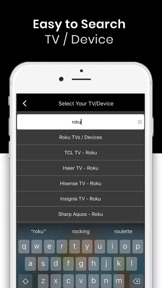
Search feature Enhanced.
Fixes with optimized UI/UX.
Seller
Name
Codematics Services
Information
Developer
Categories
Version
2.4
Size
41.5 MB
Game Center
No
VPP Device Licensing
Yes
Rating
Rated: 4+
Compatibility
iOS 9.0 or later
Devices
iPhone 4S, iPhone 5, iPhone 5c, iPhone 5s, iPhone 6, iPhone 6 Plus, iPhone 6s, iPhone 6s Plus, iPhone SE, iPhone 7, iPhone 7 Plus, iPhone 8, iPhone 8 Plus, iPhone X, iPhone XR, iPhone XS, iPhone XS Max, iPhone 11, iPhone 11 Pro, iPhone 11 Pro Max, iPhone SE (2nd generation), iPad 2 (Wi-Fi), iPad 2 (3G), iPad (3rd Generation) (Wi-Fi), iPad (3rd Generation) (4G), iPad (4th Generation) (Wi-Fi), iPad (4th Generation) (4G), iPad (5th Generation) Wi-Fi, iPad (5th Generation) Wi-Fi + Cellular, iPad (6th generation) Wi-Fi, iPad (6th generation) Wi-Fi + Cellular, iPad Pro, iPad Pro (Cellular), iPad Pro (9.7-inch), iPad Pro (9.7-inch) (Cellular), iPad Pro 12.9-inch (2nd generation), iPad Pro 12.9-inch (2nd generation) Wi-Fi + Cellular, iPad Pro (10.5-inch), iPad Pro (10.5-inch) Wi-Fi + Cellular, iPad Pro (11-inch), iPad Pro (11-inch) Wi-Fi + Cellular, iPad Pro 12.9-inch (3rd generation), iPad Pro 12.9-inch (3rd generation) Wi-Fi + Cellular, iPad Air, iPad Air (Cellular), iPad Air 2, iPad Air 2 (Cellular), iPad Air (3rd generation), iPad Air (3rd generation) Wi-Fi + Cellular, iPad mini (Wi-Fi), iPad mini (4G), iPad mini Retina, iPad mini Retina (Cellular), iPad mini 3, iPad mini 3 (Cellular), iPad mini 4, iPad mini 4 (Cellular), iPad mini (5th Generation), iPad mini (5th Generation) Wi-Fi + Cellular, iPad (7th generation) Wi-Fi + Cellular, iPad Pro 11-inch (2nd generation), iPad Pro 11-inch (2nd generation) Wi-Fi + Cellular, iPad Pro 12.9-inch (4th generation), iPad Pro 12.9-inch (4th generation) Wi-Fi + Cellular, iPad Air4, iPad Air4Cellular, iPad EighthGen, iPad EighthGenCellular, iPod touch (5th generation), iPod touch (6th Generation), iPod touch (7th generation)
Languages
English
App Store: Customer Ratings
Ratings & Reviews
1.0 of 5 (1 Rating)
App Store: Customer Reviews
No Entry