Updating



iPhone Screenshots


iPad Screenshots




Description
The RCBS Reloading App is perfect for any reloader! Not only can you operate the new ChargeMaster Link, Chargemaster Supreme and MatchMaster powder dispensers; our comprehensive Load Log gives any handloader the ability to save, store and even export their favorite load data.
The Load log gives the handloader a convenient location to store your firearm profiles and critical information about each firearm including round count, barrel length, rifle twist and even scope height! The Load section allows the user to upload an image of their favorite group, and put in all critical information about the loads they are using!
All the new RCBS powder dispensers are now Bluetooth enabled to provide direct control of your ChargeMaster Link, Supreme and MatchMaster from the intuitive app so you can control every handloading session.
During your reloading session the app provides feedback on each charge, noting any over- or underthrows, number of charges thrown, start time and end time of you dispensing session.
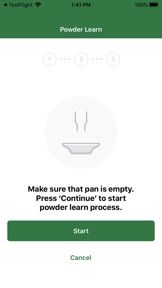
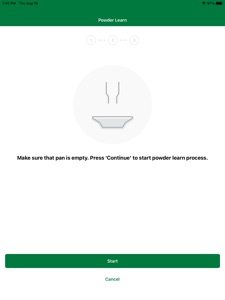
The app allows you to easily calibrate the scale and prepare your dispenser for your handloading session using the on-screen walkthrough. When you are ready to dispense power, select your mode (Auto or Manual), input your charge weight and start dispensing!
Auto Dispense mode offers easy reloading with less user intervention, just place the empty pan back on the scale and the dispenser will automatically throw the next charge. Where manual dispense mode, the handloader will tell the unit to dispense your charge each time.
If you are using the MatchMaster Powder dispenser you can set the unit to either standard mode (0.10 grain accuracy) or Match mode (0.04 grain accuracy) and also use the app to create custom powder configurations to fine tune your dispenser settings for improved speed and accuracy. You can save your powder configuration and edit them if necessary to improve your MatchMaster performance.
KEY APP FEATURES
All Dispensers (ChargeMaster Link, ChargeMaster Supreme, MatchMaster)
+ Easy-to-follow onscreen calibration
+ Quickly zero your scale for proper dispensing
+ Easy-to-use AUTO DISPENSE for faster reloading
+ MANUAL DISPENSE for incremental control
+ Log data to track your performance
+ Enter and save information for your firearms
+ Keep notes on each reloading session
+ Track weather and environmental data each time you shoot
+ Virtual Reloading Bench to keep track of all of your RCBS product
+ Contact Us – Reach out to RCBS Tech Service Directly from the APP
MatchMaster Specific Features
+ Two distinct powder dispensing modes with two accuracy settings:
+ Set accuracy to MATCH MODE for fine-grain precision
+ Create and save custom powder configurations
+ Start with one of four dispensing speeds
+ Fine tune your dispense operations for speed and accuracy
+ Modify your dispense settings to improve them over time
+ Log data to track your performance
+ Enter and save information for your firearms
+ Keep notes on each reloading session
+ Track weather and environmental data each time you shoot
What's New in Version 1.02
Dispense Stabilization Updates
Load Log Updates
Bug Fixes
Seller
Name
Bushnell Holdings Inc.
Information
Developer
Categories
Version
1.02
Size
49.2 MB
Game Center
No
VPP Device Licensing
Yes
Rating
Rated: 4+
Compatibility
iOS 12.0 or later
Devices
iPhone 5s, iPhone 6, iPhone 6 Plus, iPhone 6s, iPhone 6s Plus, iPhone SE, iPhone 7, iPhone 7 Plus, iPhone 8, iPhone 8 Plus, iPhone X, iPhone XR, iPhone XS, iPhone XS Max, iPhone 11, iPhone 11 Pro, iPhone 11 Pro Max, iPhone SE (2nd generation), iPhone 12, iPhone 12 Pro, iPhone 12 Pro Max, iPhone 12 mini, iPhone 13, iPhone 13 Pro, iPhone 13 Pro Max, iPhone 13 mini, iPad (5th Generation) Wi-Fi, iPad (5th Generation) Wi-Fi + Cellular, iPad (6th generation) Wi-Fi, iPad (6th generation) Wi-Fi + Cellular, iPad Pro, iPad Pro (Cellular), iPad Pro (9.7-inch), iPad Pro (9.7-inch) (Cellular), iPad Pro 12.9-inch (2nd generation), iPad Pro 12.9-inch (2nd generation) Wi-Fi + Cellular, iPad Pro (10.5-inch), iPad Pro (10.5-inch) Wi-Fi + Cellular, iPad Pro (11-inch), iPad Pro (11-inch) Wi-Fi + Cellular, iPad Pro 12.9-inch (3rd generation), iPad Pro 12.9-inch (3rd generation) Wi-Fi + Cellular, iPad Air, iPad Air (Cellular), iPad Air 2, iPad Air 2 (Cellular), iPad Air (3rd generation), iPad Air (3rd generation) Wi-Fi + Cellular, iPad mini Retina, iPad mini Retina (Cellular), iPad mini 3, iPad mini 3 (Cellular), iPad mini 4, iPad mini 4 (Cellular), iPad mini (5th Generation), iPad mini (5th Generation) Wi-Fi + Cellular, iPad (7th generation) Wi-Fi + Cellular, iPad Pro 11-inch (2nd generation), iPad Pro 11-inch (2nd generation) Wi-Fi + Cellular, iPad Pro 12.9-inch (4th generation), iPad Pro 12.9-inch (4th generation) Wi-Fi + Cellular, iPad Air (4th Generation) (Wi-Fi), iPad Air (4th Generation) (Wi-Fi + Cellular), iPad (8th generation) Wi-Fi, iPad (8th generation) Wi-Fi + Cellular, iPad Pro 11-inch (3rd generation), iPad Pro 11-inch (3rd generation) Wi-Fi + Cellular, iPad Pro 12.9-inch (5th Generation), iPad Pro 12.9-inch (5th Generation) Wi-Fi + Cellular, iPad (9th Generation), iPad (9th Generation) Wi-Fi + Cellular, iPad mini (6th Generation), iPad mini (6th Generation) Wi-Fi + Cellular, iPod touch (6th Generation), iPod touch (7th generation)
Languages
English
App Store: Customer Ratings
Ratings & Reviews
0.0 of 5 (No rating)
App Store: Customer Reviews
No Entry