AboutTermsPrivacyContact
 
Updating
Theodolite

Theodolite

Released: 2009-11-30
© 2009-2025 Hunter Research and Technology LLC
Theodolite - QR Code
Version 9.1
4+
Download on the App Store
Version 9.1
4+
Download on the App Store
Released: 2009-11-30
© 2009-2025 Hunter Research and Technology LLC

iPhone Screenshots

Screenshot
Screenshot
Screenshot
Screenshot
Screenshot
Screenshot
Screenshot
Screenshot
Screenshot

Description

Theodolite is a multi-function viewfinder that combines a compass, two-axis inclinometer, rangefinder, GPS, map, nav calculator, and geo-overlay photo/movie camera into one indispensable app. Theodolite was one of the very first augmented reality (AR) apps when it was released in 2009, and it’s been downloaded and used by millions of customers since then. Uses are endless, and the app is great for land measurements, outdoor sports, sightseeing, navigation, and finding your way around. Theodolite is a pro grade app and is used extensively by surveyors, geologists, architects, engineers, competitive sportsmen, first responders, military personnel, and search and rescue workers around the world.
Theodolite lets you take data-overlay photos and movies with 2X-8X zoom. Overlay geographical data, angle markings, date/time, author/company info, and project notes directly on photos and movies for later reference. The same data is written into the metadata record of images, making image files self-contained data records. Third-party apps can tap into Theodolite's advanced camera functions with a camera sharing feature.
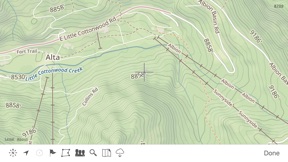
View current position on the built-in map with optional offline Outdoors maps that include topo contours, roads, trails, landmarks, campgrounds, ski lifts, and more. Live map markers continually update distance/heading relative to the current location and also show wayfinding info in the main viewfinder. Draw polygons on the map to mark things like property boundaries and trails, and import/export polygon data via KML.
Share map markers and nav calculator points with other users of Theodolite via text messages or e-mail. This powerful capability opens up a wide range of collaborative uses including team land surveying, accident investigations, spotting wild fires, triangulation of landmarks, and advanced tactical observation and targeting. With an optional in-app purchase to enable team tracking, you can share location with up to 20 people on Theodolite's map.
Theodolite includes features for serious users like a reference angle mode, nav calculator, map marker import/export, manual and automatic data logging with CSV and KML export, clipboard integration, %grade display, mil compass readout, optical rangefinders (including a mil-based reticle, sniper-style stadiametric graphs, and a variable 4X-24X scope), and night filters to improve use in dark conditions.
Theodolite can provide location in military grid reference system (MGRS) coordinates, Universal Transverse Mercator (UTM) coordinates, British/Irish National Grids, US National Grid, Maidenhead locator system, Map Grid of Australia, and six latitude/longitude formats. Optional US State Plane coordinates include SPCS27 and SPCS83 zones covering all US States. The optional Datum Pack adds over 230 geodetic datums to the app to improve position computation from GPS data, covering regions and countries on all continents around the world.
AR Layers include navigational aids like the sun, moon, planets, and Polaris (North star), and the optional US Mountain Summits layer that shows over 70,000 US mountain summits in the viewfinder.
Theodolite has been shown in Apple Keynotes, featured on the App Store, and has been a #1 selling Navigation app in App Stores around the world. Since its introduction in 2009, Theodolite has defined augmented reality navigation. The app continually introduces new technologies, pushing the limits of iOS app development and taking advantage of new hardware capabilities.
Find out why Apple named Theodolite one of the most amazing apps available and showed it being used to explore the Great Wall of China. Where will you take it on your next adventure?
Note: Theodolite is an iPhone app -- see “Theodolite HD” for use on an iPad. And be sure to check out the all-new "Theodolite for Watch" and put Theodolite on your wrist!

What's New in Version 9.1

New measure tool on map screen to compute distance and heading. Polygon popup label now includes perimeter length. Enlarged size of touch target for camera shutter button to include entire lower corner of screen for easier taps. Options to control specific geo-data elements included in photo/movie overlay. Revised rangefinder code for better fidelity on multi-lens camera systems. Fixed issue where certain characters in map marker titles would cause problems for KML export to Google Earth. Updated camera sharing feature that allows other apps to use Theodolite's camera for image & data capture. Minor bug fixes and tweaks.

Information

Developer

Version

9.1

Size

31 MB

Game Center

No

VPP Device Licensing

Yes

Rating

Rated: 4+

Compatibility

iOS 15.6 or later

Devices

iPhone 5s, iPhone 6, iPhone 6 Plus, iPhone 6s, iPhone 6s Plus, iPhone SE, iPhone 7, iPhone 7 Plus, iPhone 8, iPhone 8 Plus, iPhone X, iPhone XR, iPhone XS, iPhone XS Max, iPhone 11, iPhone 11 Pro, iPhone 11 Pro Max, iPhone SE (2nd generation), iPhone 12, iPhone 12 Pro, iPhone 12 Pro Max, iPhone 12 mini, iPhone 13, iPhone 13 Pro, iPhone 13 Pro Max, iPhone 13 mini, iPhone SE (3rd generation), iPhone 14, iPhone 14 Plus, iPhone 14 Pro, iPhone 14 Pro Max, iPhone 15, iPhone 15 Plus, iPhone 15 Pro, iPhone 15 Pro Max, iPhone 16, iPhone 16 Plus, iPhone 16 Pro, iPhone 16 Pro Max, iPhone 16e, iPhone 17, iPhone 17 Pro, iPhone 17 Pro Max, iPhone Air, iPhone 17e, iPad (5th Generation) Wi-Fi, iPad (5th Generation) Wi-Fi + Cellular, iPad (6th generation) Wi-Fi, iPad (6th generation) Wi-Fi + Cellular, iPad Pro, iPad Pro (Cellular), iPad Pro (9.7-inch), iPad Pro (9.7-inch) (Cellular), iPad Pro 12.9-inch (2nd generation), iPad Pro 12.9-inch (2nd generation) Wi-Fi + Cellular, iPad Pro (10.5-inch), iPad Pro (10.5-inch) Wi-Fi + Cellular, iPad Pro (11-inch), iPad Pro (11-inch) Wi-Fi + Cellular, iPad Pro 12.9-inch (3rd generation), iPad Pro 12.9-inch (3rd generation) Wi-Fi + Cellular, iPad Air, iPad Air (Cellular), iPad Air 2, iPad Air 2 (Cellular), iPad Air (3rd generation), iPad Air (3rd generation) Wi-Fi + Cellular, iPad mini Retina, iPad mini Retina (Cellular), iPad mini 3, iPad mini 3 (Cellular), iPad mini 4, iPad mini 4 (Cellular), iPad mini (5th Generation), iPad mini (5th Generation) Wi-Fi + Cellular, iPad (7th generation) Wi-Fi + Cellular, iPad Pro 11-inch (2nd generation), iPad Pro 11-inch (2nd generation) Wi-Fi + Cellular, iPad Pro 12.9-inch (4th generation), iPad Pro 12.9-inch (4th generation) Wi-Fi + Cellular, iPad Air (4th Generation) (Wi-Fi), iPad Air (4th Generation) (Wi-Fi + Cellular), iPad (8th generation) Wi-Fi, iPad (8th generation) Wi-Fi + Cellular, iPad Pro 11-inch (3rd generation), iPad Pro 11-inch (3rd generation) Wi-Fi + Cellular, iPad Pro 12.9-inch (5th Generation), iPad Pro 12.9-inch (5th Generation) Wi-Fi + Cellular, iPad (9th Generation), iPad (9th Generation) Wi-Fi + Cellular, iPad mini (6th Generation), iPad mini (6th Generation) Wi-Fi + Cellular, iPad Air (5th generation), iPad Air (5th generation) Wi-Fi + Cellular, iPad Pro 11-inch (4th generation), iPad Pro 11-inch (4th generation) Wi-Fi + Cellular, iPad Pro 12.9-inch (6th generation), iPad Pro 12.9-inch (6th generation) Wi-Fi + Cellular, iPad (10th generation), iPad (10th generation) Wi-Fi + Cellular, iPad Air 11-inch (M2) Wi-Fi, iPad Air 13-inch (M2) Wi-Fi, iPad Air 13-inch (M2) Wi-Fi + Cellular, iPad Pro 11-inch (M4) Wi-Fi, iPad Pro 11-inch (M4) Wi-Fi + Cellular, iPad Pro 13-inch (M4) Wi-Fi, iPad Pro 13-inch (M4) Wi-Fi + Cellular, iPad mini (A17 Pro) Wi-Fi, iPad mini (A17 Pro) Wi-Fi + Cellular, iPad (A16) Wi-Fi, iPad (A16) Wi-Fi + Cellular, iPad Air 11-inch (M3) Wi-Fi, iPad Air 11-inch (M3) Wi-Fi + Cellular, iPad Air 13-inch (M3) Wi-Fi, iPad Air 13-inch (M3) Wi-Fi + Cellular, iPad Pro 11-inch (M5) Wi-Fi, iPad Pro 11-inch (M5) Wi-Fi + Cellular, iPad Pro 13-inch (M5) Wi-Fi, iPad Pro 13-inch (M5) Wi-Fi + Cellular, iPad Air 11-inch (M4) Wi-Fi, iPad Air 11-inch (M4) Wi-Fi + Cellular, iPad Air 13-inch (M4) Wi-Fi, iPad Air 13-inch (M4) Wi-Fi + Cellular, iPod touch (6th Generation), iPod touch (7th generation)

Languages

English

App Store: Customer Ratings

Ratings & Reviews

4.9 of 5 (7 Ratings)

App Store: Customer Reviews

2017-12-29

Theodolite pro

Amazing app that does all that I need
rud1vf
Version 6.0
2017-11-04

Exceeded norm

Premium product
Vundla
Version 6.0
2017-01-24

Crash

Crashes every time I use the zoom function in movie or screen movie mode. Please help.
Ruan 24 Apex
Version 5.0
2015-11-18

Crazy timesaver. Easy & accurate

Dumbstruck with the ease of use and accuracy. Able to export as place marks in Google Earth and then into ArchiCad.
matisse1989
Version 5.0
2013-11-25

Mr

A definite must have app
Pona1980
Version 4.0
2013-02-16

Theodolite

Please adapt your Theodolite to iPad with better resolution!!
SCR
Swarthond
Version 3.2
2012-09-24

Great tool for many applications

It such great tool to use
Coolslider
Version 3.1
2012-09-16

JP SECUNDA

Brilliant app for all around use, save a lot if you dont need accurate expensive survey equipment!
Iamjp
Version 3.0
2012-09-08

Theodolite

Really good app!!!
Bushpig70
Version 3.0
2012-07-10

Mnr T van Rooyen

This is Ann excellent app/tool keep up the good work
Tienie
Version 3.0
2012-01-16

Mr

Excellent sat look finder tool, accurate
IacovosA
Version 2.6.1
2011-11-19

Review

What an amazing tool/app!
chrisanointedm
Version 2.6.1
2011-09-23

Review

As Civil Engineer, I find this app very usefull. Trust you keep on developing. Well done. Johan de Wet
Johan de wet
Version 2.6
2009-12-17

Wicked

Very good on the 3GS
Marvinct