Updating


iPhone Screenshots
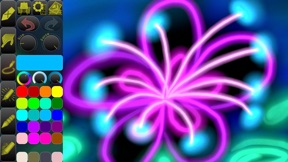
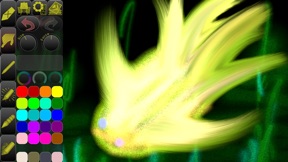


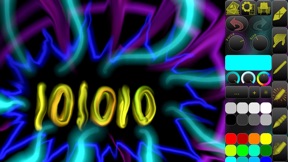


iPad Screenshots


Description
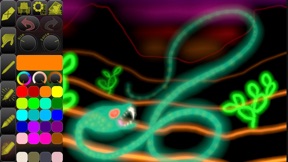
Draw with light-inspired tools, for a unique art style!
Create a drawing from scratch, or add effects to your photos.
Let your creativity run wild!
• LIVE-CALCULATED HDR BRUSHES •
The app features live-calculated brushes and strokes, that together with HDR values make it feel like drawing with light!
Drawing tools include Glow Pen, Hot Pen, Light Spheres, Smear, and more.
• GRITTY PAPER/CANVAS TEXTURES •
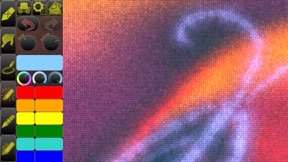
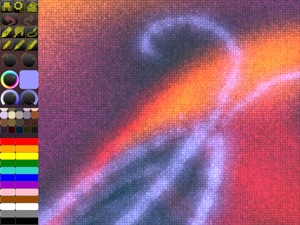
Having a paper/canvas texture interacting in real-time with the drawing tools will give your artwork a satisfying, gritty look.
You can remove or change the default-generated texture to something else.
Tap the Layers button, then tap “Paper”, and finally “Texture Options”.
• COLOR BLENDING •
Use Smudge to softly blend colors together, or Smear to achieve immensely cool flame art (seriously, try it!).
• FINGERTIP = STROKE SIZE •
Applying more or less of your fingertip when drawing will change the stroke size accordingly.
We can’t even begin to tell you how convenient this is, you have to try it!
• PARAMETERS CAN BE CHANGED LIVE •
Use any buttons or controls to change/adjust color, size, force, simultaneously while drawing.
• APPLE PENCIL •
Full support for Apple Pencil and Apple Pencil 2.
In addition, you can assign a second drawing tool, such as Eraser, to the finger.
Tap twice on a tool, and select the option “Use as 2nd Tool”.
• EASY AND QUICK TO USE COLOR PALETTE •
Changing the color is only a tap away.
The colors in the palette can be rearranged, adjusted, added and removed.
• FULL SCREEN DRAWING •
You can swipe the toolbar toward the screen edge to remove it.
Swipe in from outside the edge to get it back.
Or you can use a 3-finger tap to toggle the toolbar on/off.
You can also swipe the toolbar over to the other side, to get it out of the way.
• ZOOMING, PANNING, ROTATING •
You can pinch to zoom, drag with two fingers to pan, or rotate the picture.
To reset the zoom/pan/rotation, tap once with two fingers, and again to go back.
• SEAMLESS PATTERN EDITING MODE •
This unique feature lets you draw on the picture laid out as tiles next to each other.
The results can be used as website or desktop backgrounds, in print, or for textures in 3d modelling.
• UNIVERSAL PURCHASE •
If you choose to buy the Pro upgrade, this one-time in-app purchase will unlock all Pro features in the app on all available platforms (iPad-iPhone-Mac)!
• METAL •
The engine is based on Metal, with 128-bit color and floating-point arithmetic.
• SWIFT •
The app was developed entirely using Swift (earlier versions used C++).
• DARK MODE • LANDSCAPE • PORTRAIT • WIDE COLOR •
• MULTIPLE LAYERS • PHOTO TRACING MODE (Pro feature) •
What's New in Version 4.1
[NEW] (Pro) Support for Universal Purchase. Your Pro Upgrade is now valid for iPad, iPhone, and Mac.
[IMPROVED] The picture’s paper/canvas texture can now be adjusted with sliders for Coarseness (Pro), Depth, Visibility, and a preview. Found under “Paper/Canvas Properties” when adding a new picture, or in the Layer Control under “Paper/Canvas”.
[IMPROVED] A few additions to the Recommended Paper/Canvas Colors.
[NEW] (Pro) A few new drawing tools (all support Apple Pencil tilt and pressure).
[IMPROVED] Some of the drawing tools.
[IMPROVED] The app now remembers the last used size, color, and texture when creating a new picture.
[IMPROVED] You can now import layers from Files (in addition to Photos and Clipboard).
[IMPROVED] (Pro) Some improvements to the Photo Tracing feature, including a new Color Sampling Rate slider.
[IMPROVED] If more than one menu is open, a tap outside no longer closes all menus, only the last.
[FIXED] Improved stability.
[IMPROVED] Misc. things.
[FIXED] Misc. issues.
Seller
Name
Norbyte
Information
Developer
Categories
Version
4.1
Size
15.6 MB
Game Center
No
VPP Device Licensing
Yes
Rating
Rated: 4+
Compatibility
iOS 12.0 or later
Devices
iPhone 5s, iPhone 6, iPhone 6 Plus, iPhone 6s, iPhone 6s Plus, iPhone SE, iPhone 7, iPhone 7 Plus, iPhone 8, iPhone 8 Plus, iPhone X, iPhone XR, iPhone XS, iPhone XS Max, iPhone 11, iPhone 11 Pro, iPhone 11 Pro Max, iPhone SE (2nd generation), iPad (5th Generation) Wi-Fi, iPad (5th Generation) Wi-Fi + Cellular, iPad (6th generation) Wi-Fi, iPad (6th generation) Wi-Fi + Cellular, iPad Pro, iPad Pro (Cellular), iPad Pro (9.7-inch), iPad Pro (9.7-inch) (Cellular), iPad Pro 12.9-inch (2nd generation), iPad Pro 12.9-inch (2nd generation) Wi-Fi + Cellular, iPad Pro (10.5-inch), iPad Pro (10.5-inch) Wi-Fi + Cellular, iPad Pro (11-inch), iPad Pro (11-inch) Wi-Fi + Cellular, iPad Pro 12.9-inch (3rd generation), iPad Pro 12.9-inch (3rd generation) Wi-Fi + Cellular, iPad Air, iPad Air (Cellular), iPad Air 2, iPad Air 2 (Cellular), iPad Air (3rd generation), iPad Air (3rd generation) Wi-Fi + Cellular, iPad mini Retina, iPad mini Retina (Cellular), iPad mini 3, iPad mini 3 (Cellular), iPad mini 4, iPad mini 4 (Cellular), iPad mini (5th Generation), iPad mini (5th Generation) Wi-Fi + Cellular, iPad (7th generation) Wi-Fi, iPad Pro 11-inch (2nd generation), iPad Pro 11-inch (2nd generation) Wi-Fi + Cellular, iPad Pro 12.9-inch (4th generation), iPad Pro 12.9-inch (4th generation) Wi-Fi + Cellular, iPod touch (6th Generation), iPod touch (7th generation)
Languages
English
App Store: Customer Ratings
Ratings & Reviews
5.0 of 5 (1 Rating)
App Store: Customer Reviews
No Entry