Updating


iPhone Screenshots


iPad Screenshots


Description
The Ultimate Stopwatch is a professional timing tool for the iPhone and iPad, providing multiple stopwatches for anyone who has to track a large number of people in a large number of events, especially coaches, trainers, or PE teachers.
Simple to use, but powerful enough to handle a heavy workload.
No Limits
=========
Time an unlimited number of watches (with an incredible 180 displayed at once on an iPad Pro!)
Track unlimited laps per watch (last 4 to 10 displayed, depending on watch "face" used)
Track unlimited number of races, each named with location and any notes
Have your Watches run all the time (independently of whether app is running or not); no power used when watches are not displayed on screen
Complete control
================
Edit built-in activity list to include whatever sports/events you track
Control each watch separately, or use master start/stop/reset
Choose from 25 different stopwatch formats (iPhone/iPad, bigger/smaller, more/less info shown)
Switch at any time between split/cumulative display, or even both!
Control the fractions of a second to display (tenths, hundreds, thousandths)
Unlimited People
================
Organize your people into teams, classes, or groups
Report for each person on what their races/times have been across all races
Import people from your contacts, including photos and emails
Track personal best for each kind of race for each person
Flexible Reports
================
Add notes to each race or even each person in a race
Sort reports by time or by name
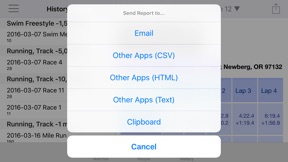
Print reports or copy/paste into other applications, or export as CSV into Excel
Send reports via email to each person or to the whole group
Track and report which type of activity was timed (even separately for each watch)
Find a race by name, or use the map to find it by location
Set time display units and split options for reports separately from watches
Graphs of individual or race performance.
Easy to use
============
Launch a race without even looking, using the volume button
Run multiple races simultaneously, easily switching between them
Not sure who's coming in? Save a temporary Lap or Stop and assign it later
Load a race for a whole group in a single tap with a huge start button
Auto-sort watches: as each person completes a lap, they drop to the bottom, so next lap they're easy to find.
Or manually drag watches into whatever order you like
Track photos for each person to help identify during a large group run
Add, sort, or delete watches, even while race is ongoing
Correct timing mistakes by easily editing any time for any watch or lap
Undo any mistakes throughout the app (such as on a false start or hitting the wrong lap button: just shake and accept the undo)
Use Staggered starts to automatically spread out your runners over time, or launch a new group all at once
Full Screen launch board so each runner nows when to go
What's New in Version 2.7.0
New lap Countdown Mode ("3 laps To Go")
Reports across an entire team of people
Trackpad support for iPad
Blackout Mode for individual use (e.g. running with your phone in a pocket)
FirstWatch mode now affects first running watch
Delete all members of a team
Seller
Name
Hugh Mackworth
Information
Developer
Categories
Version
2.7.0
Size
9.8 MB
Game Center
No
VPP Device Licensing
Yes
Rating
Rated: 4+
Compatibility
iOS 9.0 or later
Devices
iPhone 4S, iPhone 5, iPhone 5c, iPhone 5s, iPhone 6, iPhone 6 Plus, iPhone 6s, iPhone 6s Plus, iPhone SE, iPhone 7, iPhone 7 Plus, iPhone 8, iPhone 8 Plus, iPhone X, iPhone XR, iPhone XS, iPhone XS Max, iPhone 11, iPhone 11 Pro, iPhone 11 Pro Max, iPhone SE (2nd generation), iPhone 12, iPhone 12 Pro, iPhone 12 Pro Max, iPhone 12 mini, iPad 2 (Wi-Fi), iPad 2 (3G), iPad (3rd Generation) (Wi-Fi), iPad (3rd Generation) (4G), iPad (4th Generation) (Wi-Fi), iPad (4th Generation) (4G), iPad (5th Generation) Wi-Fi, iPad (5th Generation) Wi-Fi + Cellular, iPad (6th generation) Wi-Fi, iPad (6th generation) Wi-Fi + Cellular, iPad Pro, iPad Pro (Cellular), iPad Pro (9.7-inch), iPad Pro (9.7-inch) (Cellular), iPad Pro 12.9-inch (2nd generation), iPad Pro 12.9-inch (2nd generation) Wi-Fi + Cellular, iPad Pro (10.5-inch), iPad Pro (10.5-inch) Wi-Fi + Cellular, iPad Pro (11-inch), iPad Pro (11-inch) Wi-Fi + Cellular, iPad Pro 12.9-inch (3rd generation), iPad Pro 12.9-inch (3rd generation) Wi-Fi + Cellular, iPad Air, iPad Air (Cellular), iPad Air 2, iPad Air 2 (Cellular), iPad Air (3rd generation), iPad Air (3rd generation) Wi-Fi + Cellular, iPad mini (Wi-Fi), iPad mini (4G), iPad mini Retina, iPad mini Retina (Cellular), iPad mini 3, iPad mini 3 (Cellular), iPad mini 4, iPad mini 4 (Cellular), iPad mini (5th Generation), iPad mini (5th Generation) Wi-Fi + Cellular, iPad (7th generation) Wi-Fi + Cellular, iPad Pro 11-inch (2nd generation), iPad Pro 11-inch (2nd generation) Wi-Fi + Cellular, iPad Pro 12.9-inch (4th generation), iPad Pro 12.9-inch (4th generation) Wi-Fi + Cellular, iPad Air (4th Generation) (Wi-Fi), iPad Air (4th Generation) (Wi-Fi + Cellular), iPad (8th generation) Wi-Fi, iPad (8th generation) Wi-Fi + Cellular, iPad Pro 11-inch (3rd generation), iPad Pro 11-inch (3rd generation) Wi-Fi + Cellular, iPad Pro 12.9-inch (5th Generation), iPad Pro 12.9-inch (5th Generation) Wi-Fi + Cellular, iPod touch (5th generation), iPod touch (6th Generation), iPod touch (7th generation), Apple Watch Series 4, Apple Watch Series 5, Apple Watch Series 6 (GPS), Apple Watch Series 6 (GPS + Cellular), Apple Watch Series SE (GPS), Apple Watch Series SE (GPS + Cellular)
Languages
English, Catalan, Chinese, Croatian, Czech, Danish, Dutch, Finnish, French, German, Greek, Hungarian, Indonesian, Italian, Japanese, Korean, Malay, Norwegian Bokmål, Polish, Portuguese, Romanian, Russian, Slovak, Spanish, Swedish, Thai, Turkish, Ukrainian, Vietnamese
App Store: Customer Ratings
Ratings & Reviews
5.0 of 5 (1 Rating)
App Store: Customer Reviews
No Entry