Updating


iPhone Screenshots



iPad Screenshots


Description
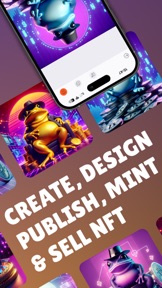
Simple NFT Creator | Base Mint is the easiest way to create, mint, design, and deploy an NFT. Create NFTs with the help of AI to generate and modify your NFTs as unique digital art using Dall-e 3.
HOW TO CREATE NFT?
STEP 1: Press the button “Create NFT” and then select canvas size and color.
STEP 2: Once the image editor is opened, you can use different options to edit your photo. There are many options inside the photo editor, such as drawing lines, drawing shapes, freehand drawing, image selection, filters, etc.
STEP 3: When the image edit is done, you can select one of your preferred blockchains on which you want to deploy an NFT. Currently, you can selectPolygon (MATIC/POL), Binance Smart Chain (BNB, BSC), Avalanche (AVAX), Arbitrum (ARB), Base (CoinBase), Fantom, Celo, Optimism (OP) and Linea blockchains.
We advise you to have already installed one of these crypto wallets: Metamask, Phantom, Glow, Exodus, Enjin, Kriptomat, Atomic, Kraken, Trust wallet, or any wallet supported by Wallet Connect.
STEP 4: Fill out the NFT collection form with the collection name and collection symbol. Once the name and symbol of the collection are filled, you can fill out data for your NFT, including name, description, external URL, and royalty.
STEP 5: Press publish NFT, and it is all done; the minting of your NFT is finished!
STEP 6: Enjoy your digital artwork! You can open it inside of OpenSea.
BLOCKCHAINS
It is possible to deploy smart contracts for NFTs on a few different blockchain networks. Currently, we support Polygon (MATIC/POL), Binance Smart Chain (BNB, BSC), Avalanche (AVAX), Arbitrum (ARB), Base (CoinBase), Fantom, Celo, Optimism (OP) and Linea.
Simple NFT Creator gives you the possibility to obtain NFTs just by providing the public address of your crypto wallet, for example, Metamask, Phantom, Glow, Exodus, Enjin, Kriptomat, Atomic, Kraken, Trust wallet, or any wallet supported by Wallet Connect. So there is no need for compromising your private keys; only the public key is needed from any crypto wallet.
FEATURES
• Advanced Photo Editor: Elevate your digital artwork with our comprehensive suite of editing tools designed for precision and creativity.
• AI Integration: Harness the power of Dall-e 3 AI for breathtaking image generation, or refine your art with AI-enhanced editing.
• Text and Object Creation: Embed text or incorporate objects into your NFTs for that personal touch.
• Freehand Drawing: Unleash your creativity with direct, hand-drawn elements on your digital masterpiece.
• Multi-Chain Publishing: Seamlessly mint and publish your NFTs across multiple networks, including Polygon (MATIC/POL), Binance Smart Chain(BNB, BSC), Avalanche (AVAX), Arbitrum (ARB), Base (CoinBase), Fantom, Celo, Optimism (OP) and Linea.
ADDITIONAL HIGHLIGHTS
• Filters: Transform your NFTs with our range of dynamic filters, both preset and customizable.
• User-Friendly Interface: Enjoy a smooth and intuitive creation experience, thanks to our user-oriented design.
• AI-Powered Art Maker: Use AI technology to create unique, stunning digital art pieces effortlessly.
• NFTs Without Cryptocurrencies: No need for holding cryptocurrencies in your wallet to mint NFTs.
• OpenSea Integration: Easily list your created NFTs on OpenSea, one of the largest NFT marketplaces.
WHY CHOOSE Simple NFT Creator?
• Broaden Your Reach: Our multi-chain support puts your NFTs in front of a wider audience.
• Empower Your Creativity: With our extensive toolset, your vision has no bounds.
• Future-Forward: Step into the next generation of digital artistry. Download Simple NFT Creator now.
• Community-Driven Development: We listen to our users and continuously improve the app based on feedback.
• Secure and Private: Your private keys remain safe; we only need your public address for minting.
DISCOVER MORE
• Terms and Conditions: https://simplenftcreator.com/terms-and-conditions
• Privacy Policy: https://simplenftcreator.com/privacy-policy
What's New in Version 0.3.12
- Minor UI and UX improvements
Seller
Name
Dedaldev Doo
Information
Developer
Categories
Version
0.3.12
Size
95.2 MB
Game Center
No
VPP Device Licensing
Yes
Rating
Rated: 4+
Compatibility
iOS 12.1 or later
Devices
iPhone 5s, iPhone 6, iPhone 6 Plus, iPhone 6s, iPhone 6s Plus, iPhone SE, iPhone 7, iPhone 7 Plus, iPhone 8, iPhone 8 Plus, iPhone X, iPhone XR, iPhone XS, iPhone XS Max, iPhone 11, iPhone 11 Pro, iPhone 11 Pro Max, iPhone SE (2nd generation), iPhone 12, iPhone 12 Pro, iPhone 12 Pro Max, iPhone 12 mini, iPhone 13, iPhone 13 Pro, iPhone 13 Pro Max, iPhone 13 mini, iPhone SE (3rd generation), iPhone 14, iPhone 14 Plus, iPhone 14 Pro, iPhone 14 Pro Max, iPhone 15, iPhone 15 Plus, iPhone 15 Pro, iPhone 15 Pro Max, iPhone 16, iPhone 16Plus, iPhone 16Pro, iPhone 16ProMax, iPad (5th Generation) Wi-Fi, iPad (5th Generation) Wi-Fi + Cellular, iPad (6th generation) Wi-Fi, iPad (6th generation) Wi-Fi + Cellular, iPad Pro, iPad Pro (Cellular), iPad Pro (9.7-inch), iPad Pro (9.7-inch) (Cellular), iPad Pro 12.9-inch (2nd generation), iPad Pro 12.9-inch (2nd generation) Wi-Fi + Cellular, iPad Pro (10.5-inch), iPad Pro (10.5-inch) Wi-Fi + Cellular, iPad Pro (11-inch), iPad Pro (11-inch) Wi-Fi + Cellular, iPad Pro 12.9-inch (3rd generation), iPad Pro 12.9-inch (3rd generation) Wi-Fi + Cellular, iPad Air, iPad Air (Cellular), iPad Air 2, iPad Air 2 (Cellular), iPad Air (3rd generation), iPad Air (3rd generation) Wi-Fi + Cellular, iPad mini Retina, iPad mini Retina (Cellular), iPad mini 3, iPad mini 3 (Cellular), iPad mini 4, iPad mini 4 (Cellular), iPad mini (5th Generation), iPad mini (5th Generation) Wi-Fi + Cellular, iPad (7th generation) Wi-Fi + Cellular, iPad Pro 11-inch (2nd generation), iPad Pro 11-inch (2nd generation) Wi-Fi + Cellular, iPad Pro 12.9-inch (4th generation), iPad Pro 12.9-inch (4th generation) Wi-Fi + Cellular, iPad Air (4th Generation) (Wi-Fi), iPad Air (4th Generation) (Wi-Fi + Cellular), iPad (8th generation) Wi-Fi, iPad (8th generation) Wi-Fi + Cellular, iPad Pro 11-inch (3rd generation), iPad Pro 11-inch (3rd generation) Wi-Fi + Cellular, iPad Pro 12.9-inch (5th Generation), iPad Pro 12.9-inch (5th Generation) Wi-Fi + Cellular, iPad (9th Generation), iPad (9th Generation) Wi-Fi + Cellular, iPad mini (6th Generation), iPad mini (6th Generation) Wi-Fi + Cellular, iPad Air (5th generation), iPad Air (5th generation) Wi-Fi + Cellular, iPad Pro 11-inch (4th generation), iPad Pro 11-inch (4th generation) Wi-Fi + Cellular, iPad Pro 12.9-inch (6th generation), iPad Pro 12.9-inch (6th generation) Wi-Fi + Cellular, iPad (10th generation), iPad (10th generation) Wi-Fi + Cellular, iPad Air 11-inch (M2) Wi-Fi, iPad Air 13-inch (M2) Wi-Fi, iPad Air 13-inch (M2) Wi-Fi + Cellular, iPad Pro 11-inch (M4) Wi-Fi, iPad Pro 11-inch (M4) Wi-Fi + Cellular, iPad Pro 13-inch (M4) Wi-Fi, iPad Pro 13-inch (M4) Wi-Fi + Cellular, iPad MiniA17Pro, iPad MiniA17ProCellular, iPod touch (6th Generation), iPod touch (7th generation)
Languages
English
App Store: Customer Ratings
Ratings & Reviews
0.0 of 5 (No rating)
App Store: Customer Reviews
No Entry