Updating


iPhone Screenshots


iPad Screenshots


Description
Image-Line Remote ( IL Remote ) is a free Wi-Fi MIDI controller for FL STUDIO on desktop and laptop computers. It works on Tablets or Phones. Just open FL Studio on your computer plus IL Remote on your iDevice and the connection is automatically made over your Wi-Fi network.
Control FL Studio instantly or link your favorite instrument and effect plugins just as you can with any MIDI controller. Use a phone, tablet or any combination with up to 15 devices simultaneously.
Use the included controller tabs covering functions including; Transport Controls, MIDI Keyboard, FPC control, Harmonizer Keyboard, Performance Mode (Clip Launcher), Gross Beat FX, Mixer and more. If the control you want isn’t available then you can create your own.
IL Remote allows you to add custom tabs and add controls including Pads, Faders, Knobs, Jog Wheels, Mixer, Clip Launcher, X/Y Controls, Piano Keyboard, Harmonic Grid and Containers. There is a complete range of customization options for each control so that you can create virtually any virtual MIDI controller to suit your needs.
For more details check the online manual here:
http://support.image-line.com/redirect/ILRemoteManual
See the video tutorial series here:
http://support.image-line.com/redirect/ILRemote_Videos
What's New in Version 1.3.4
Feedback support when used with FL Studio 12.3 and later (movements to FL Studio controls will be mirrored on the IL Remote App)
Fixed bug when assigning CC number for accelerometers and the microphone
Fixed bugs in the mixer (on/off buttons all sending the same note number, errant MIDI message with "low eq" knobs)
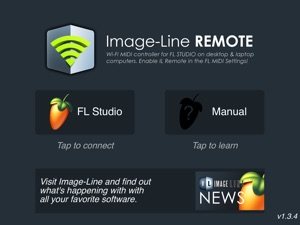
Updated splash screen to feature link to the manual and a new design
Play button flashes in-time with FL Studios tempo
Fixed a rare case where the connection would be lost when an important amount of data is sent
Fixed a bug sometime causing the very first message to be ignored by FL Studio
Fixed a crash when trying to select/move controls with invalid parameters
Deckadance support removed
Seller
Name
image-line
Information
Developer
Categories
Version
1.3.4
Size
10.3 MB
Game Center
No
VPP Device Licensing
Yes
Rating
Rated: 4+
Compatibility
iOS 5.1.1 or later
Devices
iPhone 3GS, iPhone 4, iPhone 4S, iPhone 5, iPhone 5c, iPhone 5s, iPhone 6, iPhone 6 Plus, iPhone 6s, iPhone 6s Plus, iPhone SE, iPhone 7, iPhone 7 Plus, iPhone 8, iPhone 8 Plus, iPhone X, iPhone XR, iPhone XS, iPhone XS Max, iPhone 11, iPhone 11 Pro, iPhone 11 Pro Max, iPhone SE (2nd generation), iPad (Wi-Fi), iPad (3G), iPad 2 (Wi-Fi), iPad 2 (3G), iPad (3rd Generation) (Wi-Fi), iPad (3rd Generation) (4G), iPad (4th Generation) (Wi-Fi), iPad (4th Generation) (4G), iPad (5th Generation) Wi-Fi, iPad (5th Generation) Wi-Fi + Cellular, iPad (6th generation) Wi-Fi, iPad (6th generation) Wi-Fi + Cellular, iPad Pro, iPad Pro (Cellular), iPad Pro (9.7-inch), iPad Pro (9.7-inch) (Cellular), iPad Pro 12.9-inch (2nd generation), iPad Pro 12.9-inch (2nd generation) Wi-Fi + Cellular, iPad Pro (10.5-inch), iPad Pro (10.5-inch) Wi-Fi + Cellular, iPad Pro (11-inch), iPad Pro (11-inch) Wi-Fi + Cellular, iPad Pro 12.9-inch (3rd generation), iPad Pro 12.9-inch (3rd generation) Wi-Fi + Cellular, iPad Air, iPad Air (Cellular), iPad Air 2, iPad Air 2 (Cellular), iPad Air (3rd generation), iPad Air (3rd generation) Wi-Fi + Cellular, iPad mini (Wi-Fi), iPad mini (4G), iPad mini Retina, iPad mini Retina (Cellular), iPad mini 3, iPad mini 3 (Cellular), iPad mini 4, iPad mini 4 (Cellular), iPad mini (5th Generation), iPad mini (5th Generation) Wi-Fi + Cellular, iPad (7th generation) Wi-Fi, iPad Pro 11-inch (2nd generation), iPad Pro 11-inch (2nd generation) Wi-Fi + Cellular, iPad Pro 12.9-inch (4th generation), iPad Pro 12.9-inch (4th generation) Wi-Fi + Cellular, iPad Air4, iPad Air4Cellular, iPad EighthGen, iPad EighthGenCellular, iPod touch (3rd generation), iPod touch (4th generation), iPod touch (5th generation), iPod touch (6th Generation), iPod touch (7th generation), Apple Watch Series 4, Apple Watch Series 5, Watch6, Watch6Cellular, WatchSE, WatchSECellular
Languages
App Store: Customer Ratings
Ratings & Reviews
1.0 of 5 (1 Rating)
App Store: Customer Reviews
No Entry